Second Brain: A Local Knowledge Base That Reads Your Docs So You Don't Have To
How monomind v2.5 turns your project's Markdown, PDFs, and Office files into semantic search results the model can actually use

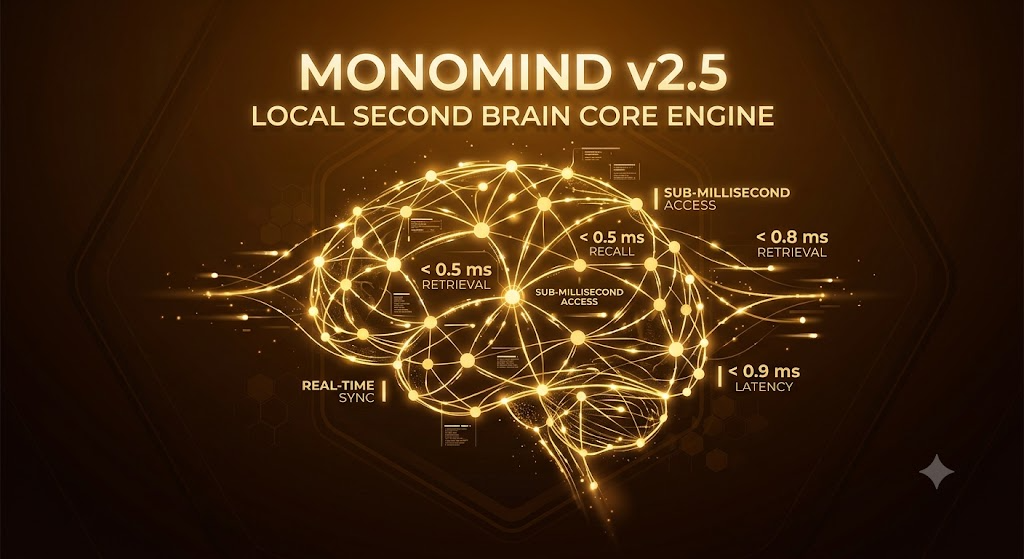
Second Brain turns a folder of project documents into a locally searchable knowledge base.
Most of what a coding agent needs to know isn't in the code - it's in the README nobody reread, the PDF spec someone attached to a ticket, the design doc buried three folders deep. monomind v2.5 ships Second Brain, a local document knowledge base that indexes those files and retrieves the relevant pieces automatically, on every prompt.
It's not a new UI to learn or a workflow to remember. If your project has documents in it, Second Brain activates on `monomind init` and starts working in the background.
Second Brain - Local Document Knowledge Base
Ingest once, retrieve automatically
From raw files to heading-aware chunks
Second Brain reads across roughly 19 file extensions - Markdown, TXT, PDF, DOCX, EPUB, and other common formats. Google Drive files are exported to Office formats before ingestion so they go through the same pipeline as everything else.
As of 2.3.2, chunking is heading-aware: instead of slicing documents into arbitrary fixed-length blocks, it splits along document structure, which keeps related content together and makes individual chunks more meaningful as retrieval units.
You can drive ingestion directly with the CLI, or let a hook do it per-prompt: a retrieval step pulls the top relevant excerpts and injects them as `[SECOND_BRAIN]` context before the model responds. The always-on dashboard keeps that retrieval path warm, with lookups landing around 60ms.

# Ingest a document into the project's knowledge base
monomind doc ingest ./docs/architecture.pdf

# Search it directly from the CLI
monomind doc search --query "how does retrieval merge project and global results"

# List everything currently indexed
monomind doc list
Key Takeaways
- ✓Second Brain activates automatically on `monomind init` when documents are present - no manual setup
- ✓Roughly 22 supported file extensions, including Markdown, TXT, PDF, DOCX, and EPUB
- ✓Heading-aware chunking (since 2.3.2) keeps document structure intact in each retrieved chunk
- ✓A per-prompt hook injects top-matching excerpts as `[SECOND_BRAIN]` context automatically
One brain per project, one brain for everything
Project and global knowledge, merged at query time
Every project gets its own local index, but monomind also maintains a global, cross-project brain at `~/.monomind/global-brain` (the location is configurable via `MONOMIND_GLOBAL_BRAIN_DIR`). It's deliberately kept as a sibling of the per-project store, so it's never accidentally swept up by `cleanup --data`.
Ingesting a path outside the current project routes to the global brain automatically - there's no separate command to remember. At query time, retrieval merges results from both stores: when a project result and a global result tie, the project result wins, and global hits are labeled `[global]` so you always know where an excerpt came from.
For programmatic access, the MCP server exposes `knowledge_search` (which accepts a `store: "project" | "global"` filter when you want to search just one), plus `knowledge_ingest` and `knowledge_remove` for adding and retracting documents. `knowledge_remove` hides a document from search immediately and is reversible by re-ingesting it. Telemetry about queries - never prompt text - is logged locally to `.monomind/metrics/second-brain.jsonl`.
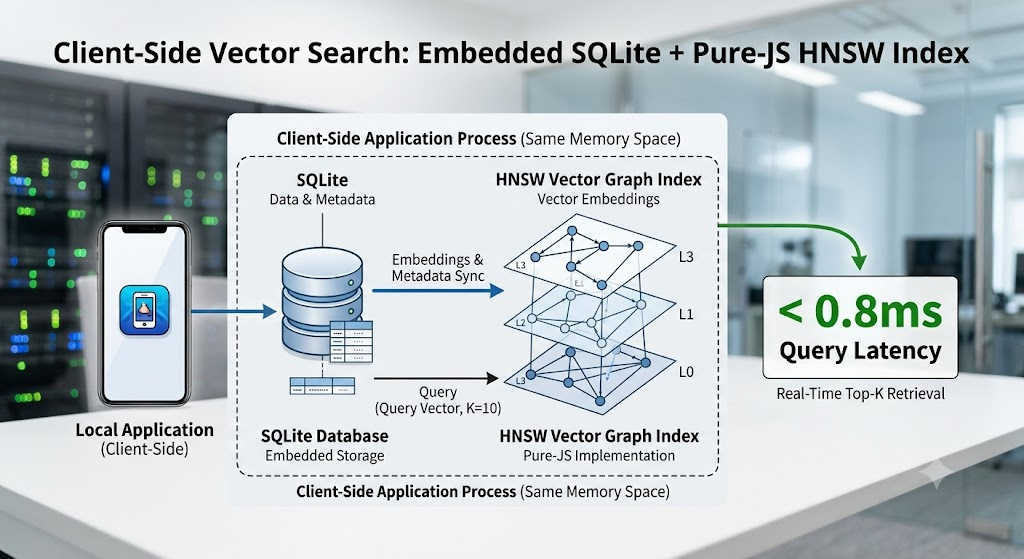
“Retrieval merges project and global stores automatically - project wins ties, global hits are labeled [global] - so you never have to remember which brain you're searching.”
- Monomind Core Team
Key Takeaways
- ✓Global brain lives at ~/.monomind/global-brain, kept separate from project data on purpose
- ✓Ingesting a path outside the project routes to the global brain automatically
- ✓Retrieval merges both stores; project results win ties, global hits are labeled [global]
- ✓MCP tools: knowledge_search (with a store filter), knowledge_ingest, knowledge_remove
Measured, not just marketed
A CI-enforced recall bar and a single outbound call
It's easy to ship a search feature and never check whether it actually finds the right thing. monomind maintains a paraphrase golden-set eval - a fixed set of query/document pairs phrased differently than the source text - and enforces an 80% recall bar in CI. If retrieval quality regresses below that bar, the build fails.
On the network side, Second Brain's only outbound call is a one-time fetch of the embedding model (roughly 90MB) from HuggingFace the first time you index a document. After that, indexing and retrieval run locally.
The full CLI surface is under `monomind doc`, with subcommands for ingest, search, list, export, remove, reconcile, and eval - so you can inspect, audit, and re-run quality checks against your own indexed documents at any time.

{
  "tool": "knowledge_search",
  "arguments": {
    "query": "how is the global brain kept separate from cleanup --data",
    "store": "global"
  }
}
Key Takeaways
- ✓80% recall bar on a paraphrase golden-set eval is enforced in CI
- ✓The embedding model (~90MB) is fetched once from HuggingFace on first index - the feature's only outbound call
- ✓monomind doc supports ingest, search, list, export, remove, reconcile, and eval
- ✓monomind is Apache-2.0 licensed
Conclusion & Future Outlook
Second Brain doesn't ask you to change how you work - it activates when documents show up in your project and stays out of the way otherwise. Local indexing, a merged project/global search, a CI-enforced recall bar, and one clearly-scoped outbound network call: that's the whole feature.
If you're running monomind v2.5 or later, run monomind doc list to see what's already indexed, or monomind doc ingest a file and try a search.
Deploy Monomind Digital Workers Today
Run open-source AI agent teams on your own infrastructure or hire Monoes Workforce to build and audit fully managed operations.
0 comments
No comments yet.